Here’s how to Cydia download for iOS 10.2 – 10 using the PP jailbreak for iPhone, iPad or iPod Touch. This method works fine without using Cydia Impactor tool, but you have to use a computer to install jailbreak app on device.
There are other 2 methods available to jailbreak & download Cydia for iOS 10 / 10.2 devices. One is yalu102 and other one is JailbreakMe102. If you are getting errors when using Cydia Impactor tool, PP jailbreak method will work better for you.
Here’s what you know about the PP jailbreak method..
Supported devices
Supported firmware
# This is also one of the modified version of the Yalu jailbreak
# This is Semi-Untethered jailbreak. Need to re-jailbreak after reboot your device
# 7 day limit exists for signing jailbreak app
# Compatible with only 64-bit devices (iPhone 7/7 + not compatible)
# No IPA, No need Cydia Impactor
# You need a Windows computer to install PP jailbreak app
# Available in Chinese
Before you start,
Step #1. Download latest version of pphelper tool for Windows here
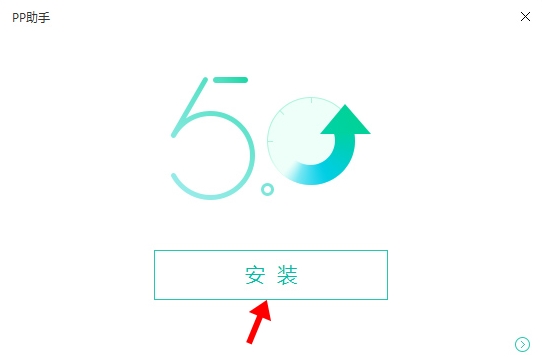
Step #2. Double click on downloaded pphelper executable file to install. Then you will get a installation window & just tap on the button to install shown as below
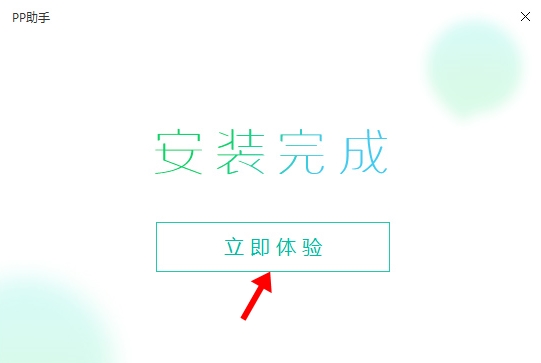
Step #3. Now, PP Assistant installation process will start & let it to complete 100%. Then you will get a screen like below & click on green button to launch PP Assistant on your computer
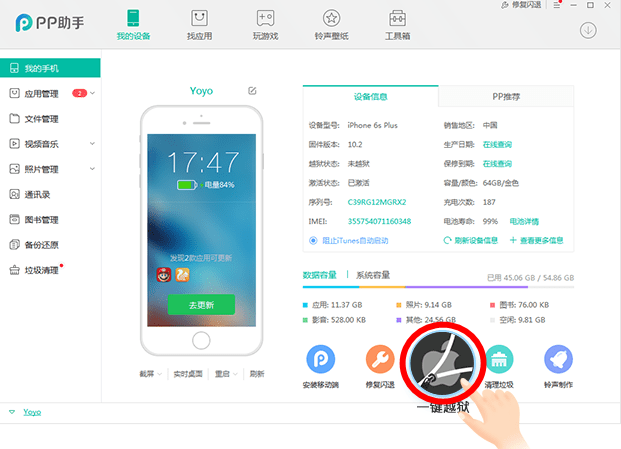
Step #4. Now PP Assistant will automatically start. Connect your iPhone, iPad or iPod to computer. Let it to detect your device & then click on Apple icon
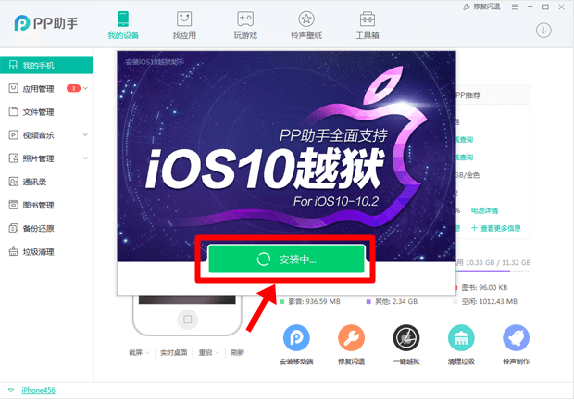
Step #5. Click on green button to install PP jailbreak app & wait your device to restart
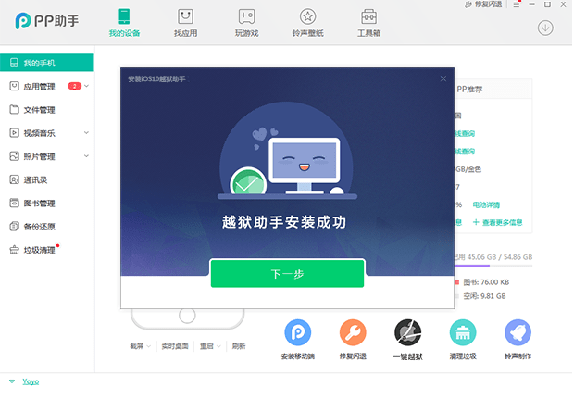
Step #6. If you see below screen means you have successfully install PP jailbreak app. Just check your device, you should see new PP app on your homescreen.
Step #7. Go to Settings >> General >> Device management & trust the PP assistant’s certificate
Step #8. Now you can launch The PP jailbreak app on your device’s homescreen, just tap on it
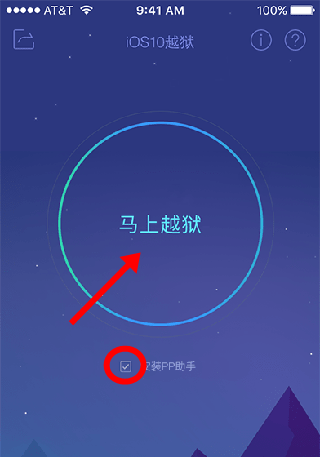
Step #9. Tap the circle button in the middle of the app screen (Uncheck the option below the circle, if you don’t want to install Chinese app store), then it will start the jailbreak process & install Cydia on your device. Finally your device will be respring.
That’s it. Now you have successfully download & installed Cydia for your device with PP jailbreak. Check your device’s homescreen & you will see the Cydia app.
Can download latest Cydia for your device ?Cydia is a most powerful app store developed…
Your favorite Cydia application has hundreds of apps for users. Can download Cydia for any…
What is Panda Helper App This is one of the best Cydia alternative application developed…
One of the best Cydia alternative Panda Helper not only support for iOS but also…
You can watch movies and TV shows in HD quality with this new app Aston…
Cydia is your favorite application which can use to download third party applications. Actually jailbreak…