The Chinese dream team – Pangu, just released untethered jailbreak iOS 9.0 – 9.0.2 solution for users. Thus, using this Pangu jailbreak tool, all iOS 9 users can Cydia download for their iPhone, iPad or iPod Touch devices.
So, we like to share all necessary information & guides for our users to get Cydia for iOS 9 devices. This is how to jailbreak iPhone, iPad & iPod with Pangu download for iOS 9.
Please Note : This guide is only for the Windows user. For Mac user guide, follow below link..
Pangu 9 can use to jailbreak all iPhone, iPad or iPod running iOS 9, iOS 9.0.1 & iOS 9.0.2 such as;
Download Pangu 9 jailbreak Version 1.2.0 (latest)
Step 01. Download Pangu jailbreak tool latest version on your Windows computer from above official link
Step 02. Right Click on the downloaded “Pangu9_v1.2.0.exe” and select the “Run as Administrator” to launch the application.
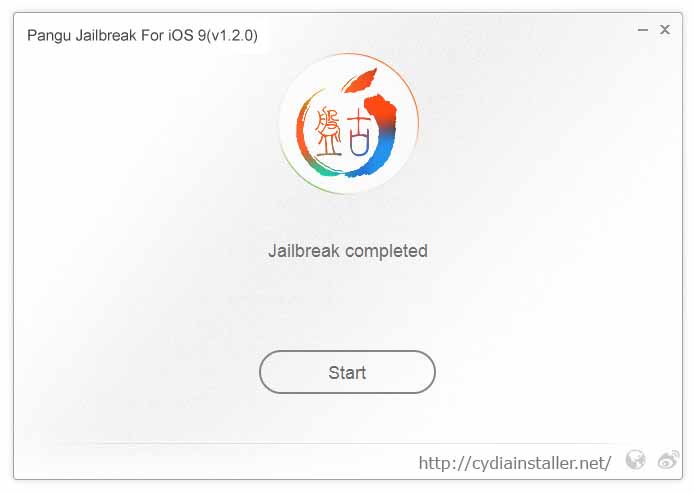
Step 03. Connect your device to computer via USB cable. Then click on “Start” button.
Step 06. Then, it will be ask you to unlock your device and run the Pangu app. Tap on Pangu app icon in the home screen to proceed.
Step 08. Wait patiently & keep your device connected. Once the process is completed, your device will reboot again.
Step 09. Congratulations.! you have successfully jailbroken your device. Now you can see the Cydia icon on your home screen.
Successfully jailbreak & install Cydia on your device? Check-out here for;
Something wrong with the Pangu iOS 9 jailbreak process? Here’s troubleshooting..
Recommend for you :
You may also like :
Can download latest Cydia for your device ?Cydia is a most powerful app store developed…
Your favorite Cydia application has hundreds of apps for users. Can download Cydia for any…
What is Panda Helper App This is one of the best Cydia alternative application developed…
One of the best Cydia alternative Panda Helper not only support for iOS but also…
You can watch movies and TV shows in HD quality with this new app Aston…
Cydia is your favorite application which can use to download third party applications. Actually jailbreak…
View Comments
Thanks for your info !! My iOS 9 Jailbreak successful with Pangu 9. Cydia working perfectly.
Cydia not working
Please reboot device and see. If occur again message to us.
Automatically close the cydia app
Tweaks no aparecen en los ajustes, alguna solución? gracias
Excelente pude realizar el JB sin problemas.
Some Tweaks may not work properly. Wait until Update Tweaks..
pangu fails at 85% everytime any suggestions?
This will be useful to you.. https://www.reddit.com/r/jailbreak/wiki/ios9jailbreakhelp
thanks but i have problem
i do this all but at %90 nothing show mean at %90 my device restart and nothing happen just show first message
"please connect your device and click start"
what can i do ?
Thanks for Help :)
Did you firmware update via OTA? Pangu is not supported OTA updated devices.
I have a Seem problem stuk on 90%
This post will help to you.. https://www.reddit.com/r/jailbreak/comments/3orbhu/help_pangu_jailbreak_stuck_at_90/
Thanks that's help full :)
help!! . sorry for my english. I have a problem and do the JB and the cyia failure. restore and erase all data on my iphone and i can no longer perform again JB an advice?
ATTACHED PHOTOS http://imgur.com/hgS2XnE http://imgur.com/RiA7nCS
We thought JB not run properly. Did you follow instructions clearly. Please Follow our post.
Also better to restore backup and run Pangu 9 as administrator mode.
Hi Admin..
after i open pangu in my iPad and klik Accept,
why i got error??
Thanks...
When jailbreaking Pangu icon will generate in your home screen. Then you need to tap that icon to continue jailbreak process. Where this error message appear ? Please download correct JB tool. Use our direct links. Otherwise you can use Pangu official site en.pangu.io
Good
dear
i use iphone 5 and version is 9.1,, i istall pangu on my pc whic operaying system is windos 7 but when i click the pangu start batton it does not work , please help me
Pangu is not supported for your firmware version - iOS 9.1. Apple has patched Pangu 9 jailbreak with iOS 9.1 update So, if you want to jailbreak & Cydia download your iPhone, downgrade iOS 9.1 to iOS 9.0.2 and then you can use Pangu 9 for jailbreak your device. You have to hurry, Apple could stop signing iOS 9.0.2 at any time causes downgrade is impossible.