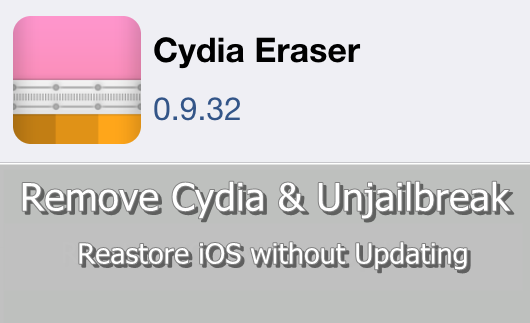
Saurik has updated his new tool, Cydia Eraser to full support Pangu iOS 9.3.3 jailbreak. With new release, all users they have jailbroken on iOS 7.1 through iOS 9.3.3 can remove Cydia, jailbreak & restore the device without loosing jailbreak ability.
Cydia developer Saurik has developed this tool for jailbroken users. Cydia Eraser allows you to remove jailbreak and restore your device to current iOS version without updating to latest version of iOS. This process remove Cydia, Cydia apps & all data on your device & revert all changes made by the jailbreak process and return your jailbroken device to same stock Apple iOS firmware.
Year ago, Saurik initially introduced this feature with a tool called Cydia Impactor for iOS 8.3 & 8.4 jailbreak users. Few days ago after the Pangu released jailbreak for iOS 9.2 – 9.3.3, Saurik created a new tool call Cydia Eraser & bundled this restore feature to it with partially support for iOS 9. (new Cydia Impactor tool remain for the use to install IPA files on iOS and APK files on Android). Now, Saurik has updated Cydia Eraser for fully support with iOS 9.3.3 jailbreak.
If you want remove & unjailbreak your iPhone, iPad or iPod due to some reason, restore the device using iTunes was only solution. But, this method update your device’s iOS version to available latest. If the updated iOS version is the only signing by the Apple and not supports to jailbreak, then you loss jailbreak ability of your device. But, now you can use Cydia Eraser for this purpose. This simply remove Cydia & jailbreak from your device and restore to same stock firmware without updating iOS version. Then, you are on fresh device with no jailbreak but it still remain jailbreak ability. So, you can re-jailbreak your device now or later you want. In addition, Cydia Eraser includes following benefits..
In below cases, there is no any better solutions unless Cydia Eraser.
Can download latest Cydia for your device ?Cydia is a most powerful app store developed…
Your favorite Cydia application has hundreds of apps for users. Can download Cydia for any…
What is Panda Helper App This is one of the best Cydia alternative application developed…
One of the best Cydia alternative Panda Helper not only support for iOS but also…
You can watch movies and TV shows in HD quality with this new app Aston…
Cydia is your favorite application which can use to download third party applications. Actually jailbreak…
View Comments
I will uninstall cydia and keep in ios 9.2, how to fix cydia force close a lot??! Thanks 🙏
Hi, I'm unable to eraser Cydia from my iPhone 4. I have Cydia Eraser but it keeps getting an error message saying Storage not enough. I've already deleted all the apps and kept only the stock apps. Can someone help me? Thanks
Just restore your device with iTunes.
hi, i updated my iphone to 10.0.1 without removing cydia before hand, i can no longer see cydia but some apps still wont work saying that its a jailbroken device! is there a method to completley remove cydia from my phone or shall i just wait for the new cydia release?
Users can use Cydia eraser to completely remove Cydia from device. Follow this - http://cydiainstaller.net/delete-cydia/cydia-eraser/
My iPad vs 7.3 has Mikito & I would like to restore. Where is the cydia eraser to allow me to do a factory reset?
You can install Cydia Eraser from Cydia, Please backup your device before do factory reset.
Does it matter if it's wifi or cellular data?
Doesn't matter what ever it is. But it may require over 500MB..
I jailbreak my ipad 4 mounths ago and i have removed jailbreak in the no-proper way. Now i can't jailbreak my device. How can i use cydia eraser in order to jailbreak my device? i have ios 9.3.2 and i don't want to upgrade
You should have to jailbreak & install Cydia Eraser in order to use it. What is the method you removed jailbreak?? Jailbreak can be only removed by the restoring your device.
I removed only the pangu icon and i reboot my ipad.
Now, with pangu, jailbreak doesn't work: when i lock screen, i see the message that says that Cydia is installed, but your device need to resping... but it doesn't respring. So, i see "Jailbreak succeded" in pangu app, but i haven't the cydia icon.
I have also tried to "Erase all content and settings", but nothing change.
I haver the same problem.... could you resolve your case?