Team Pangu has released tool for iOS 9.1 jailbreak. So, we like to show all necessary information & guides for our users to get Cydia for iOS 9.1 devices. This is how to jailbreak & Cydia download your iPhone, iPad & iPod on iOS 9.1 – 9.0 using Pangu jailbreak
This versions of Pangu jailbreak can be used to download & install Cydia for iOS 9.1, iOS 9.0.2, iOS 9.0.1 & iOS 9.0 running devices
New Pangu iOS 9.1 jailbreak only works with 64-bit devices such as;
Pangu iOS 9.1 jailbreak is not supported for the iPhone 5C, iPhone 5, iPhone 4S, iPad 4, iPad 3, iPad 2, iPad Mini 1st generation & iPod Touch 5 (32-bit) devices
Update: If you have 32-bit device, please follow Home Depot jailbreak to install Cydia for your device.
Update : Pangu 1.3.1 for Windows & Pangu 1.1.0 for Mac update released for iOS 9.1 – 9.0 jailbreak
Download Pangu jailbreak tool latest version (16.03.2016)
Pangu9 1.3.1 for Windows / Pangu 1.1.1 for Mac
Step 01. Download latest version of Pangu jailbreak tool for Windows or Mac from above official download link
Step 02. Launch Pangu Jailbreak (Windows users -Right Click on the downloaded “Pangu9_v1.3.0.exe” and select the “Run as Administrator”. Mac users – Right click on the Pangu9 icon, and click on Open in the menu options, then click on “Open” button)
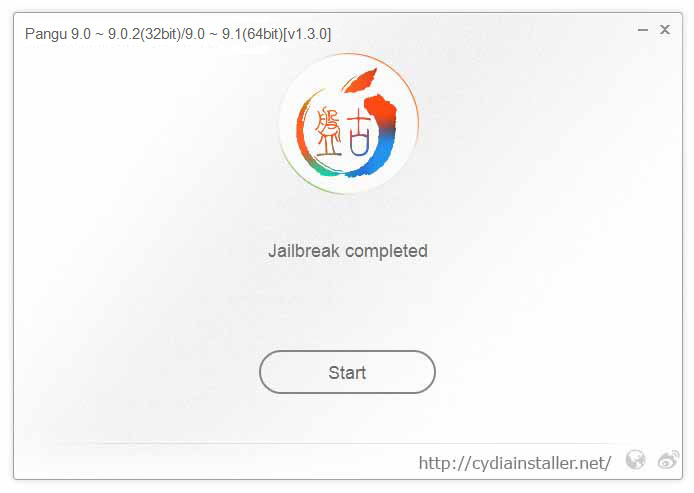
Step 03. Connect your device to computer via USB cable. Then click on “Start” button.
Step 04. Click on “Already Backup” to continue jailbreak.
Step 05. Your device will reboot and you will be asked to enable “Airplane Mode”
Step 06. Then, it will be ask you to unlock your device and run the Pangu app. Tap on Pangu app icon in the home screen to proceed.
Step 07. Then, tap on the “Accept” button to give permission to access photo library. Then click “OK” to continue.
Step 08. Wait patiently & keep your device connected. Once the process is completed, your device will reboot again.
Can download latest Cydia for your device ?Cydia is a most powerful app store developed…
Your favorite Cydia application has hundreds of apps for users. Can download Cydia for any…
What is Panda Helper App This is one of the best Cydia alternative application developed…
One of the best Cydia alternative Panda Helper not only support for iOS but also…
You can watch movies and TV shows in HD quality with this new app Aston…
Cydia is your favorite application which can use to download third party applications. Actually jailbreak…
View Comments
Good
Good
Great
Having error message "size misematch" while trying to install cydia repo setup Update. please help to fix
Please give me cydia
Cydia its good
i have ios 9.3.2 how can i jailbreak, it says it cant jailbreak for me?
You can not jailbreak, Please touch with us until jailbreak release for public
It won't let me download
Please use our direct download link for Pangu 9. Do not pay for Pangu software. Any error with our link, Please use official site - en.pangu.io
I have an ipad mini running on IOS 9.3.1, does somebody knows if I could jailbrake it? THanks.
No, You can not jb now
tryed but orten does misstakew
What is the mistake ?