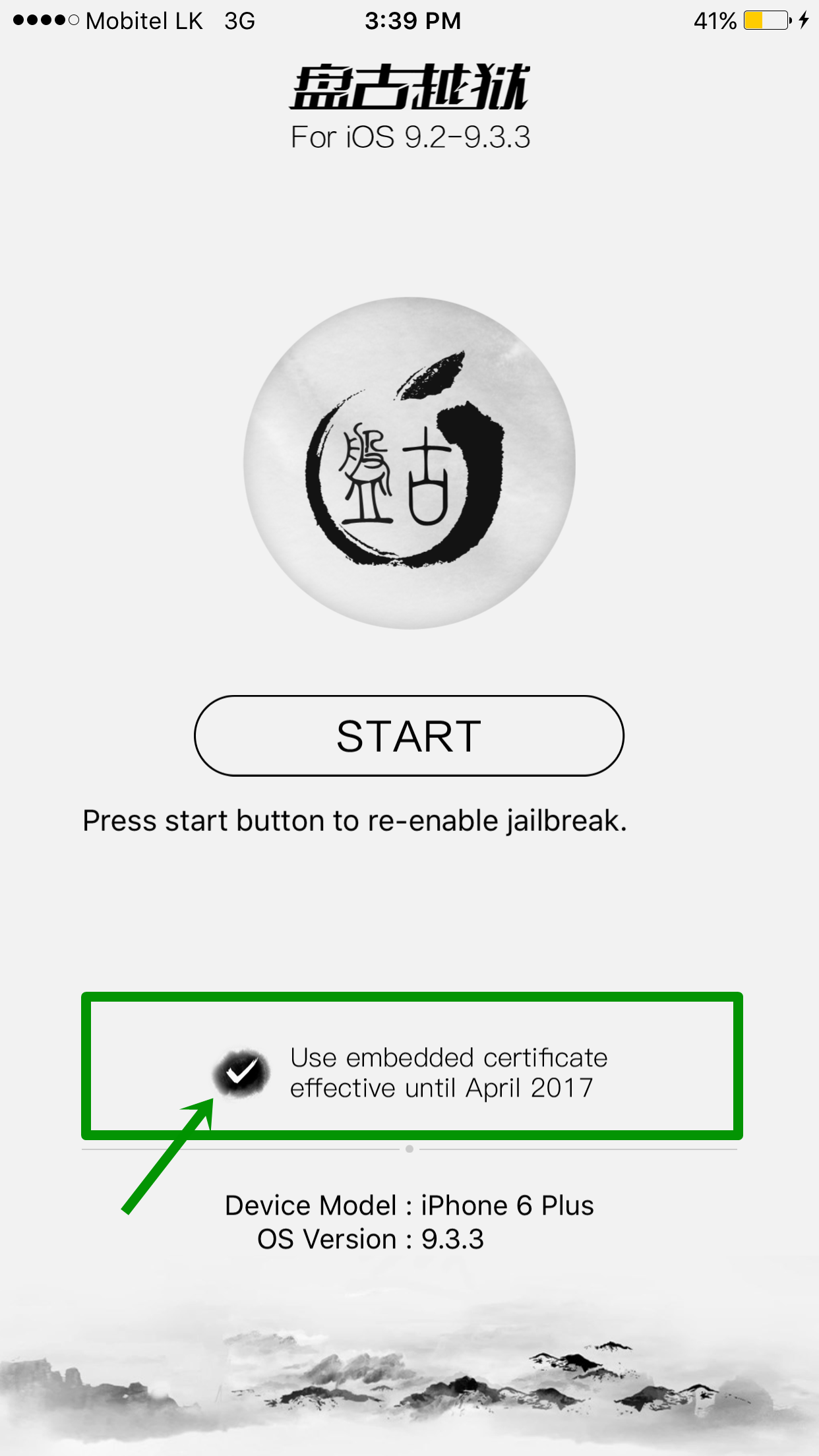
Pangu Team released iOS 9.2 – 9.3.3 jailbreak update of English version jailbreak tool. The new version, Pangu 1.1 has fixed some bugs and improved stability of jailbreak. Also it has Added 1 year Enterprise Certificate for jailbreak app. So, you no longer have to re-install Pangu jailbreak app every week until April 2017.
This will be really good news for Pangu English users all around the world. Here we like to show all necessary information for user to jailbreak iOS 9.2 – 9.3.3 with install Cydia using new Pangu V1.1 tool.
Few days ago, Pangu Team released Chinese version of jailbreak for iOS 9.2 – 9.3.3 first time. Later, Pangu V1.0 English tool released for international users. Now, Pangu V1.1 the latest tool available to download & install with Cydia Impactor tool.
Pangu V1.1 English tool supports to jailbreak & install Cydia for iOS 9.2 – 9.3.3 running iPhone, iPad & iPod on Windows, Mac & Linux platforms. Pangu Chinese tool combined with PP tool but, Pangu English version uses Cydia Impactor tool which developed by the Saurik to help of the jailbreak process.
How to install Cydia for iOS 9.2 – 9.3.3 with Pangu & PP jailbreak ? [Chinese version – For Windows]
Pangu V1.1 compatible devices to jailbreak
64-bit devices only.
iPhone 4S, iPhone 5, iPhone 5C, iPad 2, iPad 3, iPad 4, iPad Mini 1st generation & iPod Touch 5G (32-bit) devices currently not support with Pangu jailbreak
New Home Depot jailbreak iOS 9.1 – 9.3.4 released! Apple 32-bit device users also can download Cydia for their device now.
Support iOS versions to jailbreak with Pangu
iOS 9.3.4 currently not support – Apple killed Pangu in iOS 9.3.4 – Read more [..]
Instructions for Pangu English Users
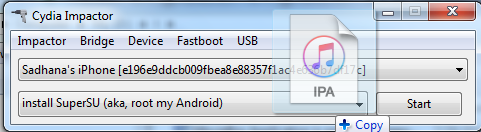
How to use Pangu V1.1 (English Version) to jailbreak your device
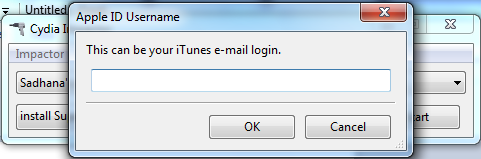
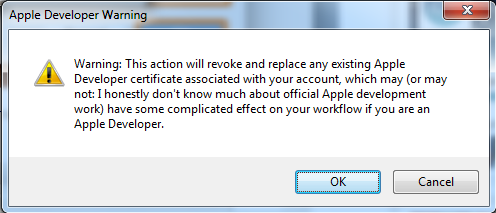
Note – Your regular Apple ID can be used here. However, it’s better to create a new Apple ID to continue with this process. Apple ID is used for create a free Apple developer certificate for signing the iPA file of Pangu jailbreak. The certificate will expire in 7 days (A paid developer certificate lasts 1 year). If your certificate gets expired you can’t use Pangu app on your Home screen to re-jailbreak. Then you have to remove Pangu app from your device & need to follow these full steps again.
Update :
Pangu V1.1 includes an option for get 1 year Enterprise Certificate. So, you no longer have to re-install Pangu jailbreak app every week until April 2017.
After jailbreak your device with Pangu successfully, you need reactivate jailbreak again & again each time reboot your device. Now, you have a new way to reactivate Pangu jailbreak without using a computer. Just visit https://jbme.qwertyoruiop.com/ on safari from your device & then click “go” and reactivate jailbreak
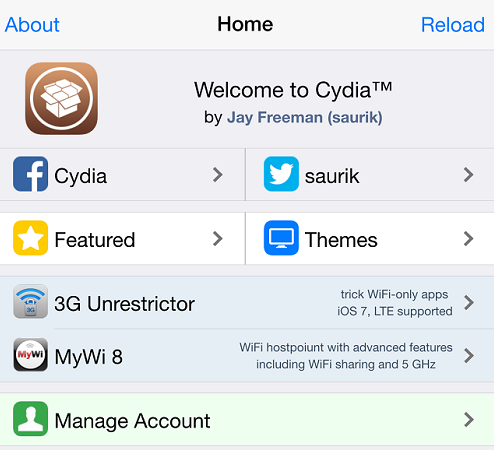
Now you all ready to customize your idevice. Launch Cydia on your device, there are thousands of amazing apps, themes, extensions available to modify your device. You can find best Cydia apps & tweaks in bellow list..
Unable to jailbreak your device with Pangu ? Just follow bellow guide to fix common issues & jailbreak successful..
Note :
Strictly recommend :
Can download latest Cydia for your device ?Cydia is a most powerful app store developed…
Your favorite Cydia application has hundreds of apps for users. Can download Cydia for any…
What is Panda Helper App This is one of the best Cydia alternative application developed…
One of the best Cydia alternative Panda Helper not only support for iOS but also…
You can watch movies and TV shows in HD quality with this new app Aston…
Cydia is your favorite application which can use to download third party applications. Actually jailbreak…


View Comments
I followed every single instructions but i end up nothing .i cant download pangu
Pangu provided IPA file and Cydia impactor to jailbreak. Please use our direct links to download, also you can use official sites
Hmm .
Hi Ive got ios 9.3.3 and i cant download cydia
Please use Pangu English version or you can use Safari based jailbreak
Follow this - http://cydiainstaller.net/ios-9-3-3-jailbreak/without-computer/
I get this message.Any idea what I can do?
Installation.cpp:42
Failed to find matching arch for 64-bit Mach-0 input file
/private/var/intalld/Libary/Caches/com.apple.mobile.installd.staging/temp.rtvpJ2/extracted/Payload/NvwaStone.app/NvwaStone
We think your device is not support for jailbreak. What is your device ? Currently Cydia support for
Same error. Installation.cpp:42
Failed to find matching arch for 64-bit Mach-0 input file
My phone is 6S plus with 9.3.3
This error is normally coming with 64 bit devices. But some 64 bit devices also faced with this error.
Pls wait until pangu update release for users
Will they release jailbreak for the other apple devices not yet included in this jailbreak version? ie iphone 4S
Yes, Pangu will not release solution to jailbreak 32 bit devices.
I got the same error with my ipad 3 64bit :(
Please download tool again & run as admin.
First backup your device
Hi I want to download minecraft hack but you no I do have money and time to go to sleep in my room and the first place in my life I have to be a good one day I will be never and aver be a hacker
You can install MineCraft with or without Cydia application. Please download IPA file & Synchronize to device using Cydia Impactor
What is this error?
lockdown.cpp:57
LOCKDOWN_E_MUX_ERROR
After your device connect, Message will appear to trust the computer. If you click as not Trust, this error will appear
after i write my appleid password ,it says ,cannot unzip IPA file.please help
error code:zip.cpp:331
No Computer, No Apple ID, 1 year enterprise certificate for jailbreak app
Try this method.. http://cydiainstaller.net/ios-9-3-3-jailbreak/without-computer/
I copied the IPA file and then I get a provision cpp 68 error stating that it cannot be completed due to maintenance reasons.
Follow no computer method.. http://cydiainstaller.net/ios-9-3-3-jailbreak/without-computer/
It says LOCKDOWN_E_MUX_ERROR I Trusted pc but that didn't work
When it gets to opening.ipa
it says
lockdown:cpp:57
LOCKDOWN_E_SSL_ERROR
Please drap and drop ipa file to Cydia Impactor.
I am trying to install a cracked version of Snapchat with my computer and I keep getting this error. (I am not trying to jailbreak!) [I do not want any methods of jailbreaking! How do I fix this error!?]
zip.cpp:331
cannot unzip `/Users/(Censored)/Downloads/Snapchat__.ipa`
We like to give jailbreak,Cydia solutions from here
Error : lockdown.cpp:57
LOCKDOWN_E_INVALID_HOST_ID
how to fix it?
Please download Pangu V1.1 and re-run program
Hey guys,
I've test on 5S and it shows this error :
lockdown.cpp:75
LOCKDOWN_E_SERVICE_PROHIBITED
any idea ?
I want this
Cydia is available with your device. Download latest jailbreak tool and install Cydia for your device