Finally, now you can download Cydia for iOS 9.3.5 running iPhone, iPad & iPod devices with the brand new Phoenix jailbreak that was recently released for the public users. This jailbreak was available as form of IPA that can be side-load on to your idevice with help of a computer & Cydia Impactor tool. Can jailbreak iOS 9.3.5 without using a computer or Cydia Impactor? Here’s how to jailbreak & install Cydia iOS 9.3.5 using Phoenix with No computer.
This is very simple method that you can download jailbreak tool directly on your device without need of a computer or Cydia Impactor support. This is the JailbreakMe like browser-based method you need only a compatible device & working internet connection at all.
Before you start,
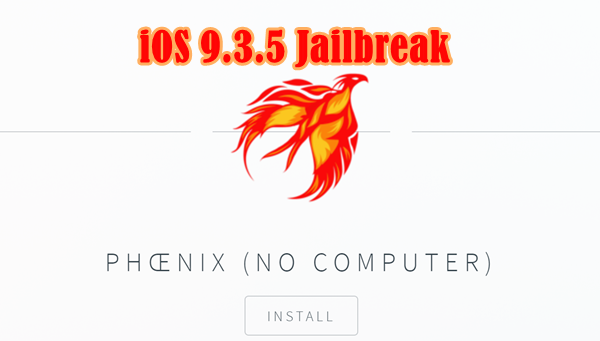
Step 01: Visit Click on this link this ink – http://ayouch.me/phoenix with your device’s Safari browser & tap on “Install” button.
Update : Alternative link – Click here
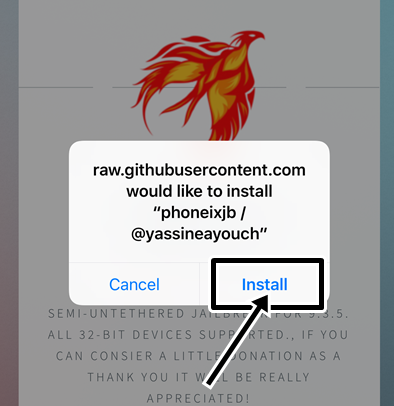
Step 02: Tap on “Install” in pop-up window
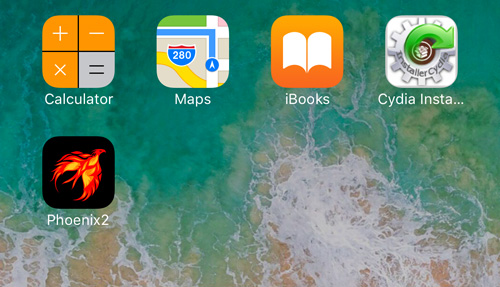
Step 03: Wait for the jailbreak app to be installed on your iOS device. Once it complete the installation process, Phoenix app will be seen on your Home screen.
Step 04: On your device, go to “Settings” >> “General” >> “Profiles & Device Management”. Find the profile associated with Phoenix jailbreak app and trust he certificate.
Step 05: Run the Phoenix app on your Home screen and tap on “Prepare For Jailbreak“
Step 06: Tap on “Proceed with Jailbreak” button to continue.
Step 07: Then, it will check the compatibility again. If your device is supported, you will get another screen then tap on “Use Provided Offsets”.
Step 08: Your device will respring & Cydia will be seen on your Home screen.
That’s it, open the Cydia & start installing your favorites Cydia apps for your device.
If you fail to install Cydia & reboot your device, open the Phoenix jailbreak app again on your Home screen and tap on “Kickstart Jailbreak” option.
If you unable to install Phoenix jailbreak app for your device with this method, recommend to follow official method using Cydia Impactor tool with a computer.
Can download latest Cydia for your device ?Cydia is a most powerful app store developed…
Your favorite Cydia application has hundreds of apps for users. Can download Cydia for any…
What is Panda Helper App This is one of the best Cydia alternative application developed…
One of the best Cydia alternative Panda Helper not only support for iOS but also…
You can watch movies and TV shows in HD quality with this new app Aston…
Cydia is your favorite application which can use to download third party applications. Actually jailbreak…

View Comments
OK
Nope... The link does not now contain the Phoenix update (please update your link)
Updated!
Still Aint working and do you'll have a full thetered jailbreak
i cannot download it because there is no phoenix at ayouch.me
There is no Phoenix jailbreak option getting an error can't download
Use alternative link that already i have given or follow Cydia Impactor method with a computer.
Here's How to jailbreak & install Cydia on iOS 9.3.5 with Phoenix jailbreak IPA using Cydia Impactor ?
Install for iphone 4
IT DOESNT WORK PLEASE HELP ME IM USING IPAD MINI 2!!!
Follow this .. How jailbreak & install Cydia for iOS 9.3.5 with Phoenix jailbreak IPA + Cydia Impactor ?
Does NOT work on Iphone 4 or 4s!
As Safari can no longer download the file required.
Link has updated!
above says no computer, but you telling us how to jailbreak with computer wtf...
Some jailbreak applications are ready to install online for your devices. What is your iOS version ?
Ios 9.3.5
Cydia keeps crashing on me
Please try to install with ipa files. If unable to install, Upgrade your device to upper iOS version to install Cydia.
The updated link is broken