All Apple users those who are with iOS 10 – 10.2 running iPhone, iPad & iPod now can get stable jailbreak. New extra_recipe jailbreak that originally developed by the xerub, now has been updated with Cydia download support extend for more devices & firmware versions. Download modified version, extra_recipe – cydia jailbreak with better stability on iOS 10 -10.2
Developer xerub, extra_recipe to originally developed for resolve the stability issues on iPhone 7 & 7+ devices on iOS 10.1.1 mach-portal + yalu jailbreak. After that he has updated extra_recipe to support Cydia download for all 64-bit devices (exclude iPhone 7/7+). So, now it can be use as a stable alternative for yalu102 – iOS 10.2 jailbreak.
extra_recipe- cydia jailbreak currently compatible with all most all yalu 102 support devices & firmware versions. Here’s the list of compatible devices & iOS versions.
[table “5” not found /]If you are new user to Cydia jailbreak? just check it your iOS version in above compatibility list & follow bellow steps to Cydia download for your device using extra_recipe-cydia
Note : Make sure your device to connect Internet before start jailbreak process.
(If you are already not jailbroke your device, just skip first two steps)
Step 01.
If you are already jailbroken with match_portal or yalu102 – Reboot your device to put it to un-jailbroken mode.
Step 02.
Press and hold on the mach_portal or yalu102 icon on your Home screen & tap on cross sign to delete app
Step 03.
Download Cydia Impactor tool and the IPA file of extra_recipe-cydia to your computer using the link above.
Step 04.
Connect your iPhone, iPad to your computer and launch Cydia Impactor
Step 05.
Drag and drop the extra_recipe- cydia IPA file onto Cydia Impactor.
Step 06.
Cydia Impactor will prompt you to enter your Apple ID & password. Just enter valid Apple ID & password
Step 07.
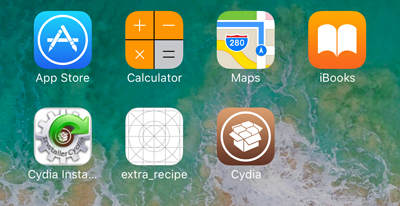
Once the complete series of process, unlock your device, you will see the extra_recipe icon appear on your home screen. Tap on it to launch extra-recipe- cydia jailbreak
Step 08.
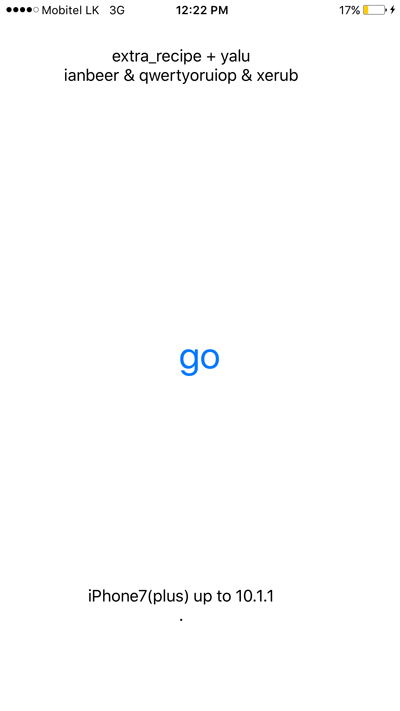
Wait for 5 seconds & Tap on “Go” button. Your device will resping and Cydia should appear on the Home screen. If it “failed, reboot” your device & try again
That’s it! Now you can enjoy stable jailbreak with your iPhone or iPad on iOS 10 – 10.2. Open Cydia app & find apps & tweaks to freely customize your device.
You may also check-out:
Can download latest Cydia for your device ?Cydia is a most powerful app store developed…
Your favorite Cydia application has hundreds of apps for users. Can download Cydia for any…
What is Panda Helper App This is one of the best Cydia alternative application developed…
One of the best Cydia alternative Panda Helper not only support for iOS but also…
You can watch movies and TV shows in HD quality with this new app Aston…
Cydia is your favorite application which can use to download third party applications. Actually jailbreak…
View Comments
Hello. Need a help. I have Ipad Pro IOS 10.0.2 . I jailbreak my ipad 4 mounths ago and i have removed jailbreak in the no-proper way. I don't remember how I did it, I think that I am removed from Ipad home screen the mach_portal app. Now I see the Sydia icon on home screen but it doesn't work.
So now I install on iPad the extra _recipe icon and when I launch it and waiting 5 sec and on Go button i recieved this message "not supporting yet" . I can't install the Cydia Eraser because the Cydia is doesn't work. I tried to unjailbreak via DFU mode but it must to upgrade the IOS. What can I do? Please HELP!!!!!
Hi Polina, we can help you. Just can I know the version or from where you downloaded extra_recipe ipa file?