Luca Todesco provided his Yalu jailbreak solution for iOS 10 – 10.2 user to Cydia download their iPhone, iPad & iPod Touch devices. This jailbreak was available as form of IPA that can be installed on your idevice with help of a computer & Cydia Impactor tool. Can jailbreak iOS 10 – 10.2 without a computer or Cydia Impactor ? Yes, there’s a JailbreakMe style browser-base solution available. Here’s how to install Cydia for iOS 10 – 10.2 with Safari browser.
Before you start,
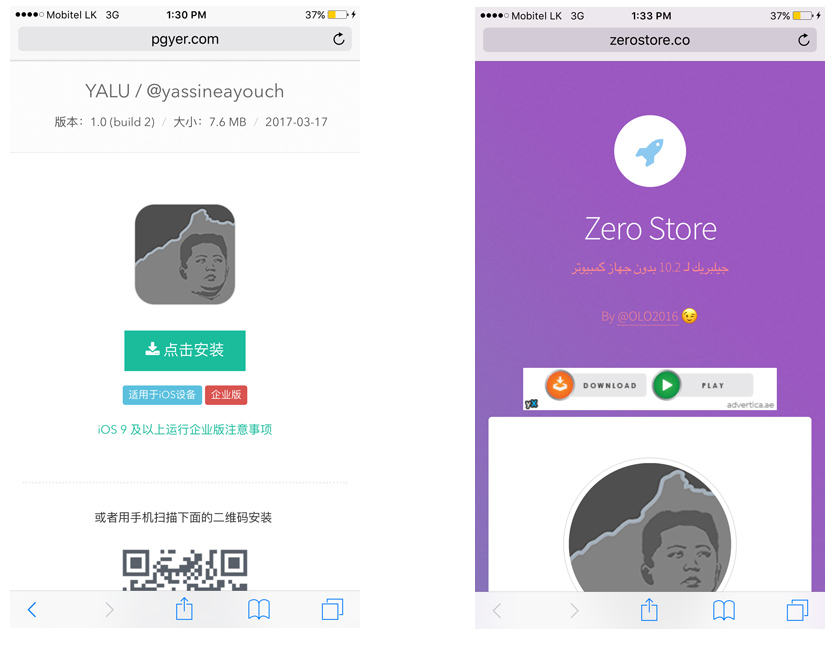
Step 01: Visit one of the following link with your device’s Safari browser
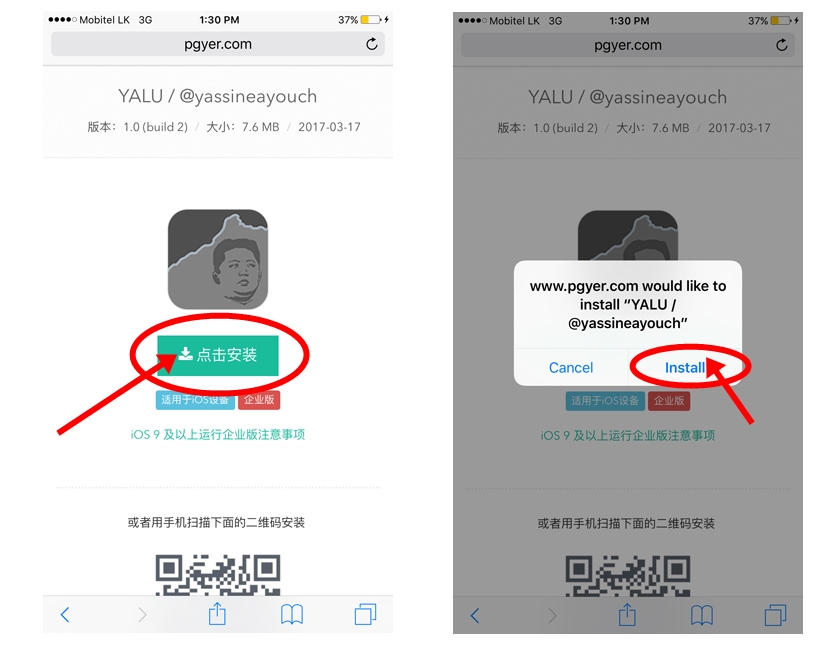
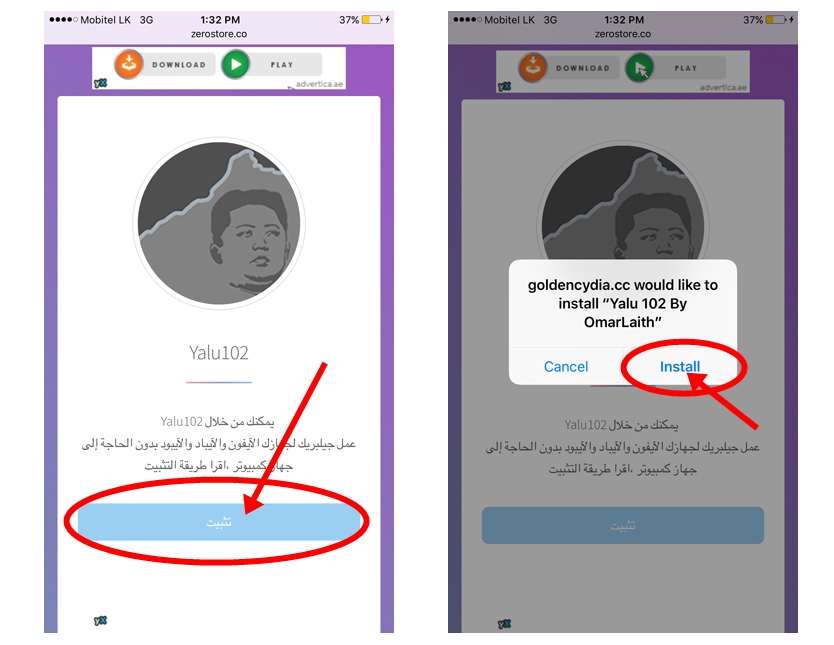
Step 02: Click on big green button (for pgyer) or blue button (for zerostore) then select “Install”
Step 03: Now yalu102 app will install on your device.
Step 04: Once complete installation, go to Settings >> General >> Profiles & Device Management. Select & verify the profile that listed under “ENTERPRISE APP” section.
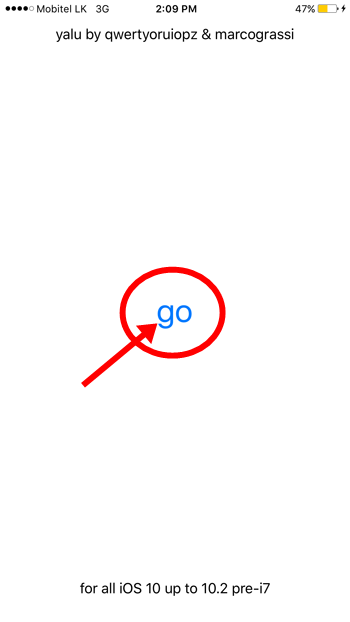
Step 05: Open yalu102 app on your home screen. Tap “go” to start the jailbreak process.
Also you can follow video tutorial below..
If you are unable to jailbreak your device with this method, follow original way of Cydia download using yalu102 with Cydia Impactor.
Another method – extra_recipe jailbreak for iOS 10.2 iPhone, iPad, iPod
After successfully jailbreak your device, install these best Cydia apps & tweaks compatible for iOS 10 – 10.2 yalu jailbreak.
Recommend for you;
Can download latest Cydia for your device ?Cydia is a most powerful app store developed…
Your favorite Cydia application has hundreds of apps for users. Can download Cydia for any…
What is Panda Helper App This is one of the best Cydia alternative application developed…
One of the best Cydia alternative Panda Helper not only support for iOS but also…
You can watch movies and TV shows in HD quality with this new app Aston…
Cydia is your favorite application which can use to download third party applications. Actually jailbreak…